
Blender to Unreal Engine 5
MorennBridge
A Blender ⇄ Unreal Engine 5 bridge that simplifies the workflow






FBX interchange between Blender (4.2 and newer) and Unreal Engine 5, done the way Unreal expects.
Blender and Unreal disagree on units, axes, bone orientation and a dozen exporter checkboxes. MorennBridge encodes the correct conventions once and turns them into buttons: set the scene up for Unreal, export static meshes, skeletal meshes and animations that import cleanly, import Unreal exports with proper bones, validate before you write anything, and (optionally) push assets straight into a running editor.
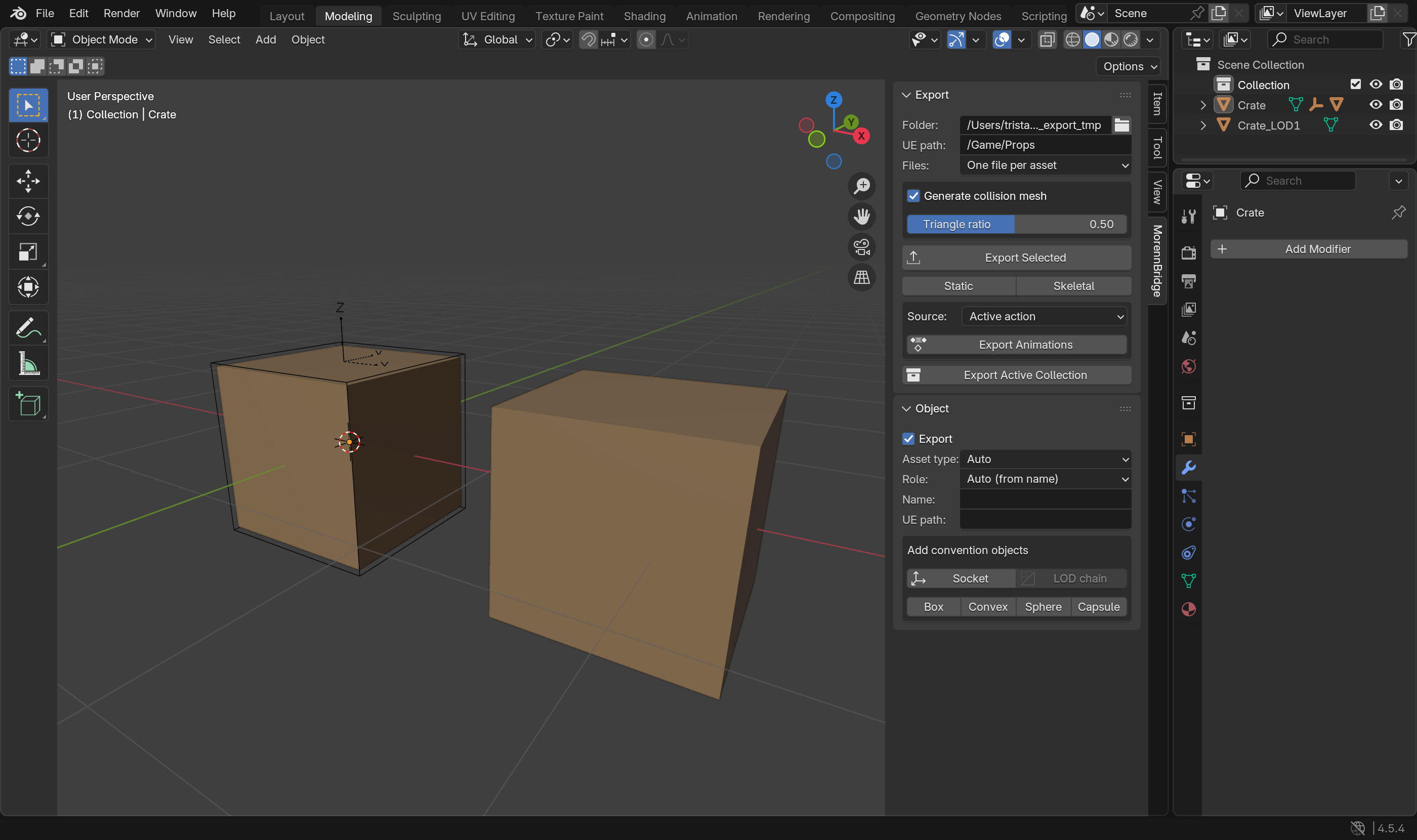
Features
- Scene setup: centimetre units (1 unit = 1 cm), 30 fps, viewport clip range and grid that work at Unreal scale, camera clip ranges. A converter rescales existing metre scenes without changing physical sizes.
- Export: static meshes (
SM_), skeletal meshes (SKM_) and animations (A_), auto-named and auto-classified. Files are written in Unreal's own axis convention and in centimetres, with smoothing groups, tangents, triangulation, no leaf bones, a single root bone, baked animation on every frame and no scaled armature. Several meshes can share one file and still become separately named Unreal assets. - Unreal conventions:
UCX_/UBX_/USP_/UCP_collision,SOCKET_empties, LOD chains, an optional generated collision mesh (SM_Name_COLL, for Unreal's Complex Collision Mesh slot), shape keys kept through modifiers, bone-influence limiting, UE-safe names. - Import from Unreal: the
rootbone is restored (Blender's importer otherwise swallows it), every bone is re-oriented to Blender's convention per bone (UE4/ALS mannequins mirror whole limbs), bones get sensible lengths and collections, LOD groups and collision meshes are recognised, actions are renamed after the file. Exact: a re-export reproduces the original Unreal bone transforms. - Pre-flight validation: errors and warnings with one-click fixes (apply mirrored scale, add a root bone, rename bones the way Unreal would, bind bone-parented props, assign a default material, …).
- Unreal Link: discover a running Unreal Editor, push the last export (an Interchange or legacy import driven by
a manifest), pull selected assets back. Needs the Python remote execution setting in your project; see
docs/UE_SETUP.md. Not yet verified against a live editor.
Install
- Download
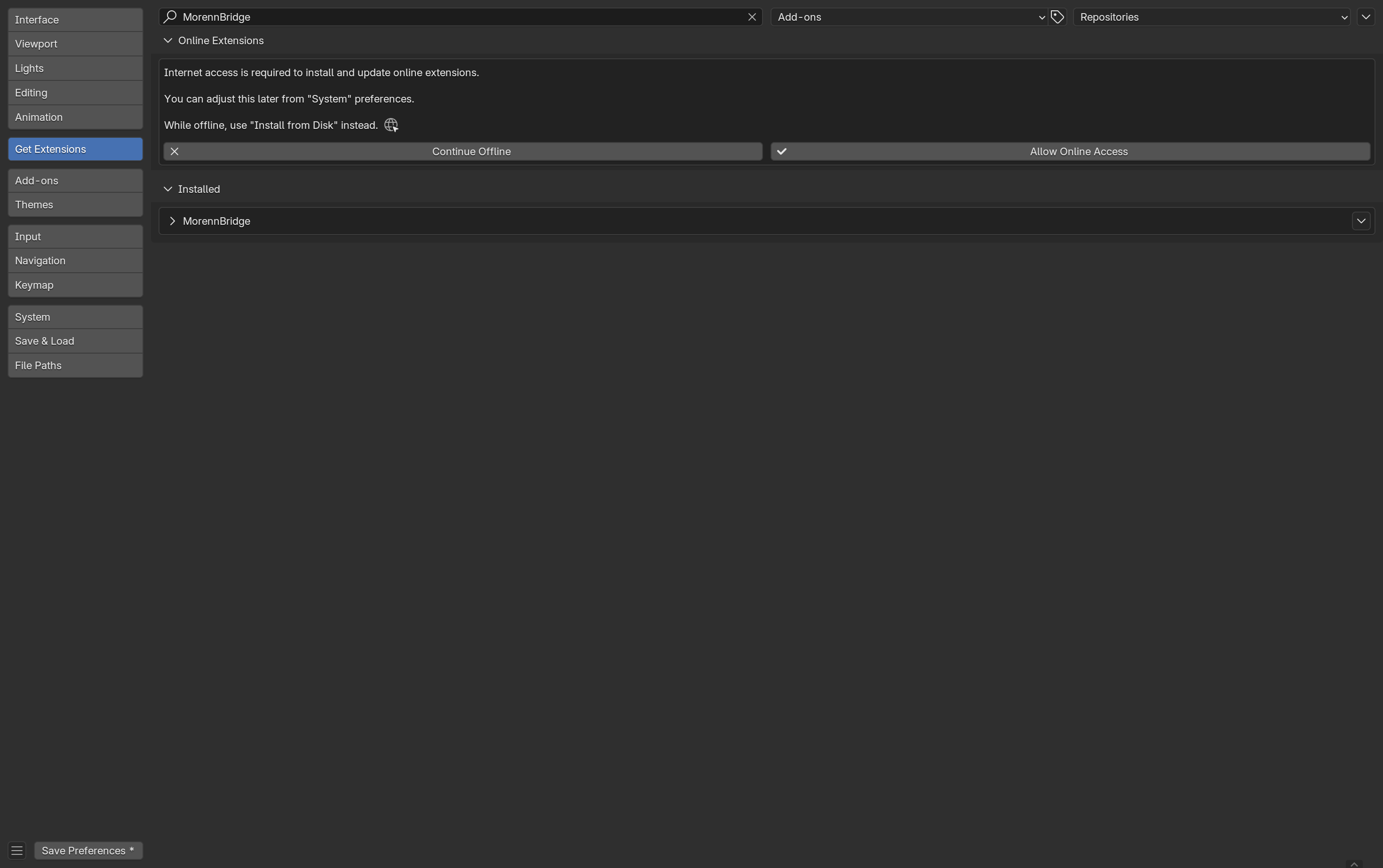
morennbridge-<version>.zipfrom the releases page, or build it from a checkout withblender --command extension build --source-dir . --output-dir dist. - Blender → Edit → Preferences → Get Extensions → ⌄ (top right) → Install from Disk… → pick the zip. It works offline; the extension is enabled immediately and listed under Installed.
- The add-on appears as the MorennBridge tab in the 3D Viewport sidebar (
N). Its settings are under Preferences → Add-ons → MorennBridge.
Developers can symlink the morennbridge folder into <Blender config>/extensions/user_default/ instead.
Quick start
- Scene → Set Up Scene for Unreal (or Convert Scene to Unreal Units for an existing metre scene).
- Model as usual: 1 unit = 1 cm, faces visible in Blender's Front view face +Y in Unreal, like Epic's mannequins.
- Select your objects, set the export folder and UE path in the Export panel, press Export Selected. Rigged meshes and armatures become skeletal meshes, everything else static meshes; the Export Animations button writes one FBX per action, NLA strip or scene range.
- Fix anything the Pre-flight panel reports (it runs automatically before every export).
- In Unreal, drop the files in the Content Browser (settings in
docs/CONVENTIONS.md) or use Unreal Link.
The full walkthrough with screenshots is in docs/USER_GUIDE.md.
Documentation
The documentation is also published at https://manermorenn.github.io/MorennBridge/.
| Document | Content |
|---|---|
docs/USER_GUIDE.md |
Installation, every panel step by step, preferences, with screenshots |
docs/CONVENTIONS.md |
Naming rules, axes/units, what Unreal sees, manual Unreal import settings |
docs/UE_SETUP.md |
Unreal project setup for remote execution, legacy importer switch, troubleshooting |
Requirements and status
- Blender 4.2 or newer (developed against 5.2, tested on 4.5 LTS). Uses Blender's own FBX exporter plus a binary post-pass; the new C++ importer when available, the legacy Python importer otherwise.
- Unreal Engine 5 (targets 5.8; Interchange import by default, legacy importer supported).
- The Blender side is covered by the headless test suite. The Unreal-side scripts were written against the 5.8 source and still need confirmation in a live editor; see the checklist at the end of the user guide.
Development
# tests: Blender runs them headless (the runner links the checkout into the user extensions repository)
blender -b --python tests/run_tests.py -- [-k pattern] [-v]
# lint and formatting (same commands as CI)
ruff check . && ruff format --check .
# package
blender --command extension validate . && blender --command extension build --source-dir . --output-dir dist
# documentation screenshots (opens a Blender window for about a minute, then a background crop pass)
blender --factory-startup --window-geometry 0 0 1400 850 blank.blend \
    --python dev/make_screenshots.py -- docs/images [UnrealExport.fbx]
blender -b --python dev/make_screenshots.py -- --crop docs/images
# documentation site (what GitHub Pages serves; needs `pip install markdown pymdown-extensions pygments`)
python dev/build_site.py --out site
CI (GitHub Actions) lints, runs the suite on Blender 4.5 LTS and 5.2 LTS, and builds the extension; tags v*
publish the zip on the release page; pushes to main redeploy the documentation site. See CHANGELOG.md for the version history.
License: GPL-3.0-or-later (the add-on reuses Blender's GPL FBX tooling).